Why can’t I find URLs from the Audit report on my website?
Your campaign's crawl source dictates which pages our bot finds during the audit.
There are four types of "Pages to crawl" settings in Site Audit:
- Website
- Robots.txt sitemap
- Sitemap URL
- URLs from file
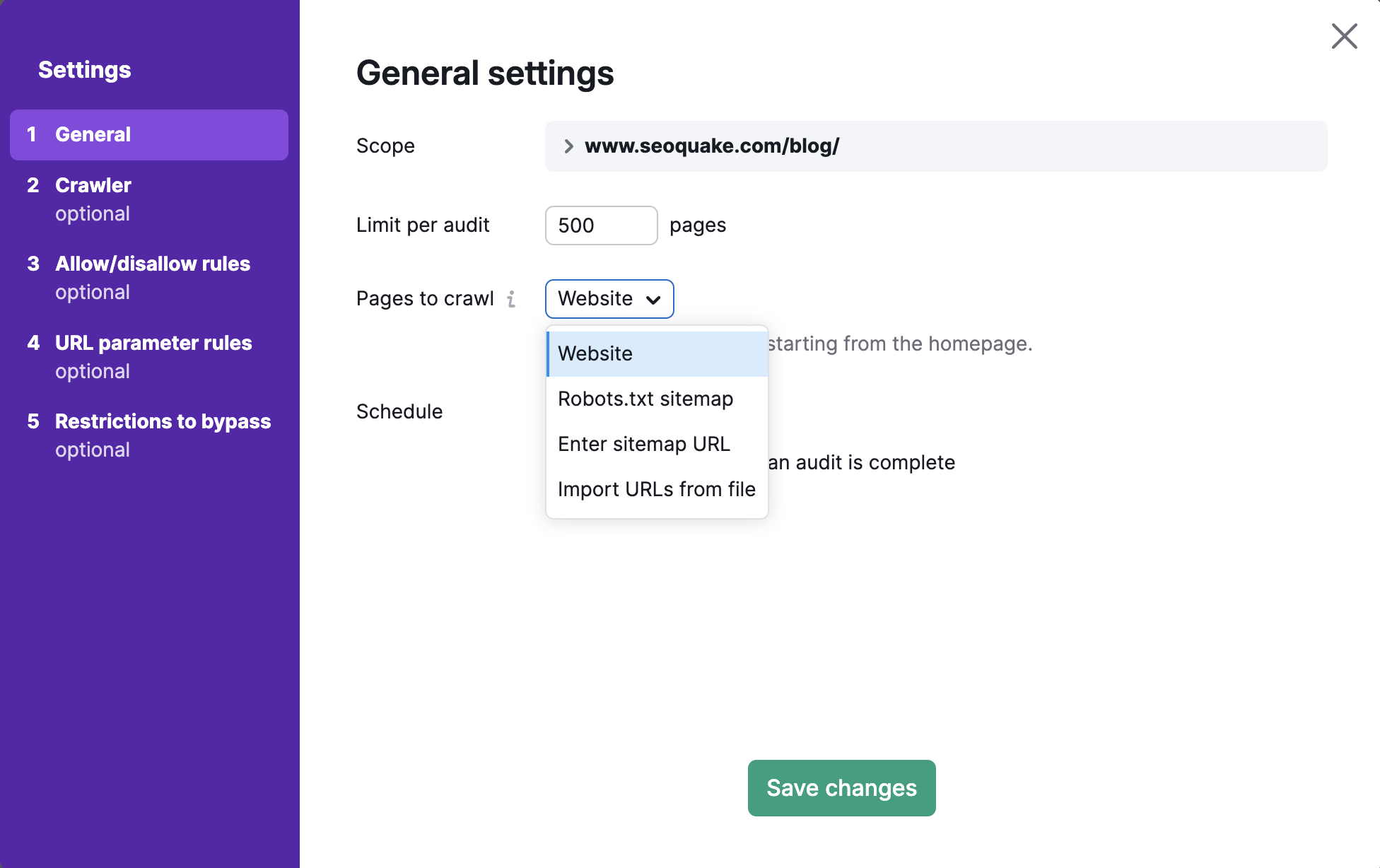
If you choose one of the Sitemaps options or the URL from file option, our bot will crawl a specific set of pages either from your Sitemap or from the file you upload.
If you have a Website as a crawl source, we are crawling your site starting from the homepage and navigating through the links we see on your page’s code.
You can check incoming internal links of the URL in the Crawled Pages Individual page report if you are not sure how our bot could find a certain link:
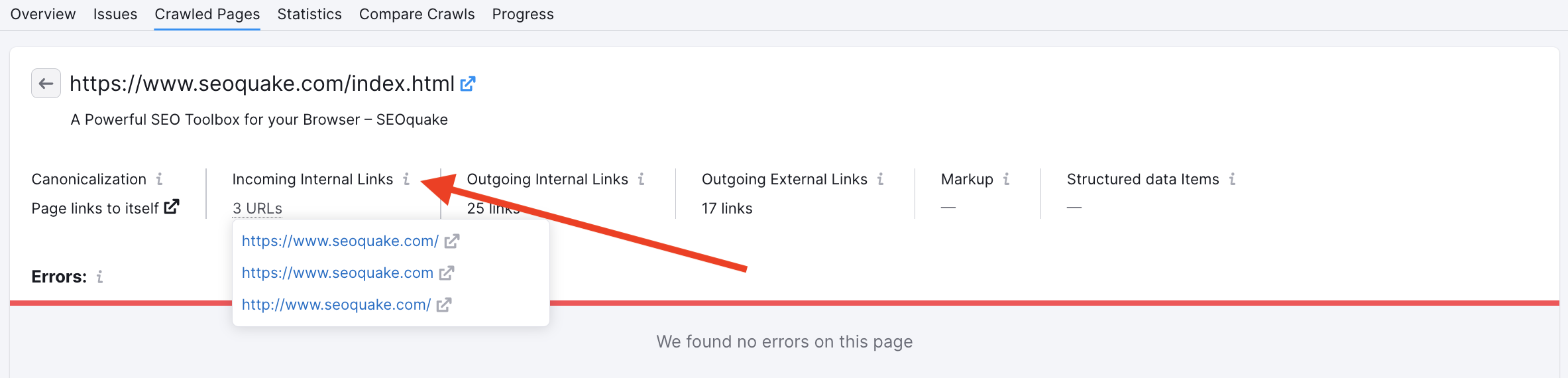
In case you can’t find a specific URL in the code of your page, there can be three possible reasons for this:
1. Our bot received a different version of the page during the crawl. In most cases, this means that the page changed since, and the URL got deleted from the code.
2. You are looking for an absolute URL and links in your code are relative:
<a href = http://www.example.com/xyz.html> - absolute link
<a href = "/xyz.html"> - relative link
3. The link you see in our report is in decoded format, but in your code the link is in encoded format. This usually happens if a URL contains uncommon symbols (for example, "" quotes):
<a href = "/"xyz".html"> - decoded URL
<a href = "/%2F%22xyz%22.html"> - encoded URL
 돌아가기: Semrush 툴킷 카테고리