How to upload a TXT/CSV file with tagged keywords to Position Tracking?
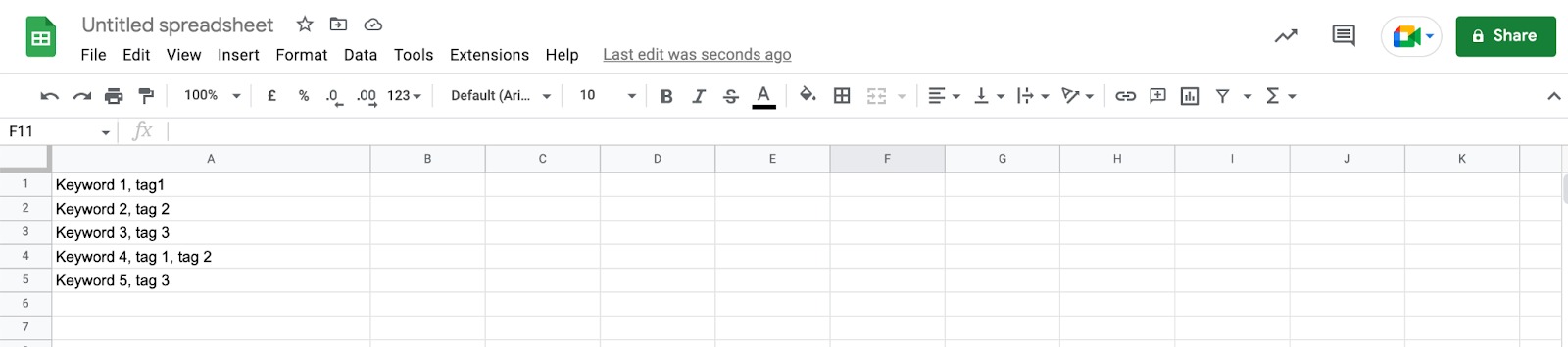
In order to upload your tagged keywords in bulk to Position Tracking using the TXT/CSV file option, first, create your file.
Each keyword should be on a separate row within a separate cell. The tags should be separated by commas and within the same cell as the keyword associated with it.
Next, download the file as a .csv.
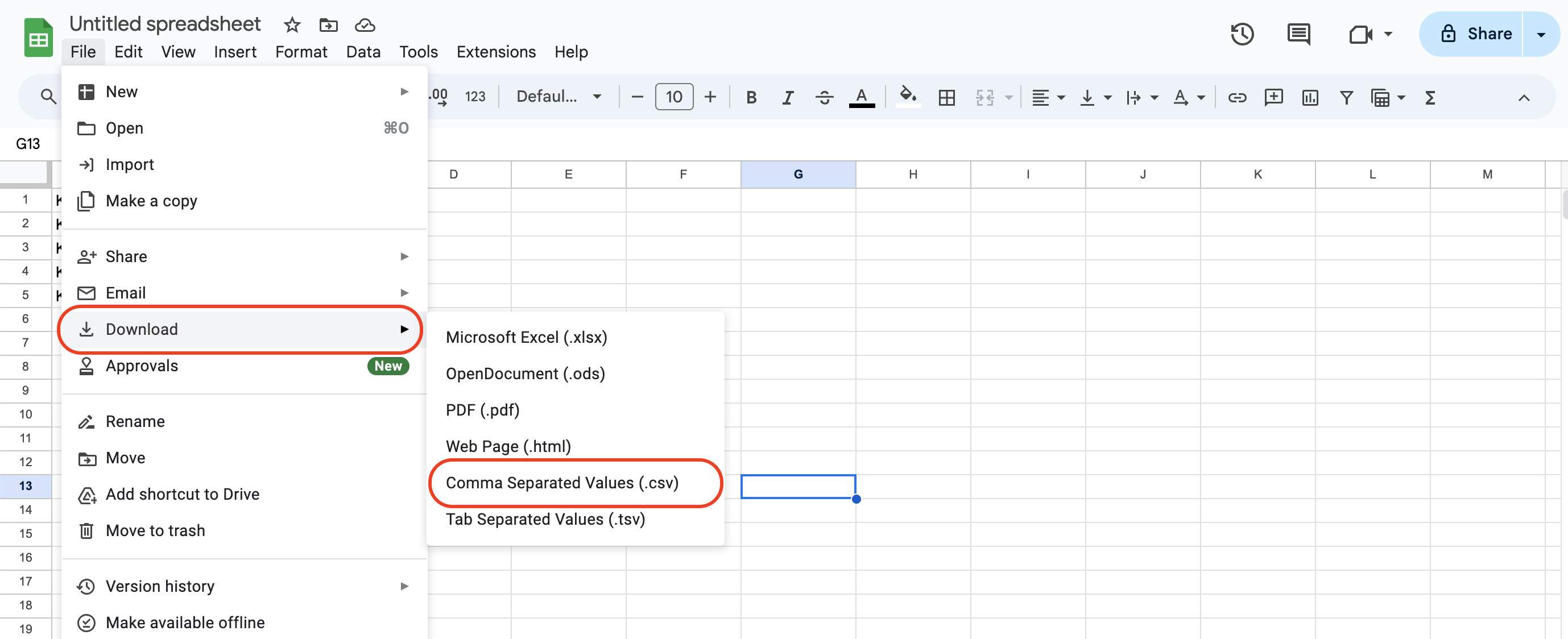
The same list with all the same rules applied can be created in a simple TXT document or copied into a TXT file from the spreadsheet.
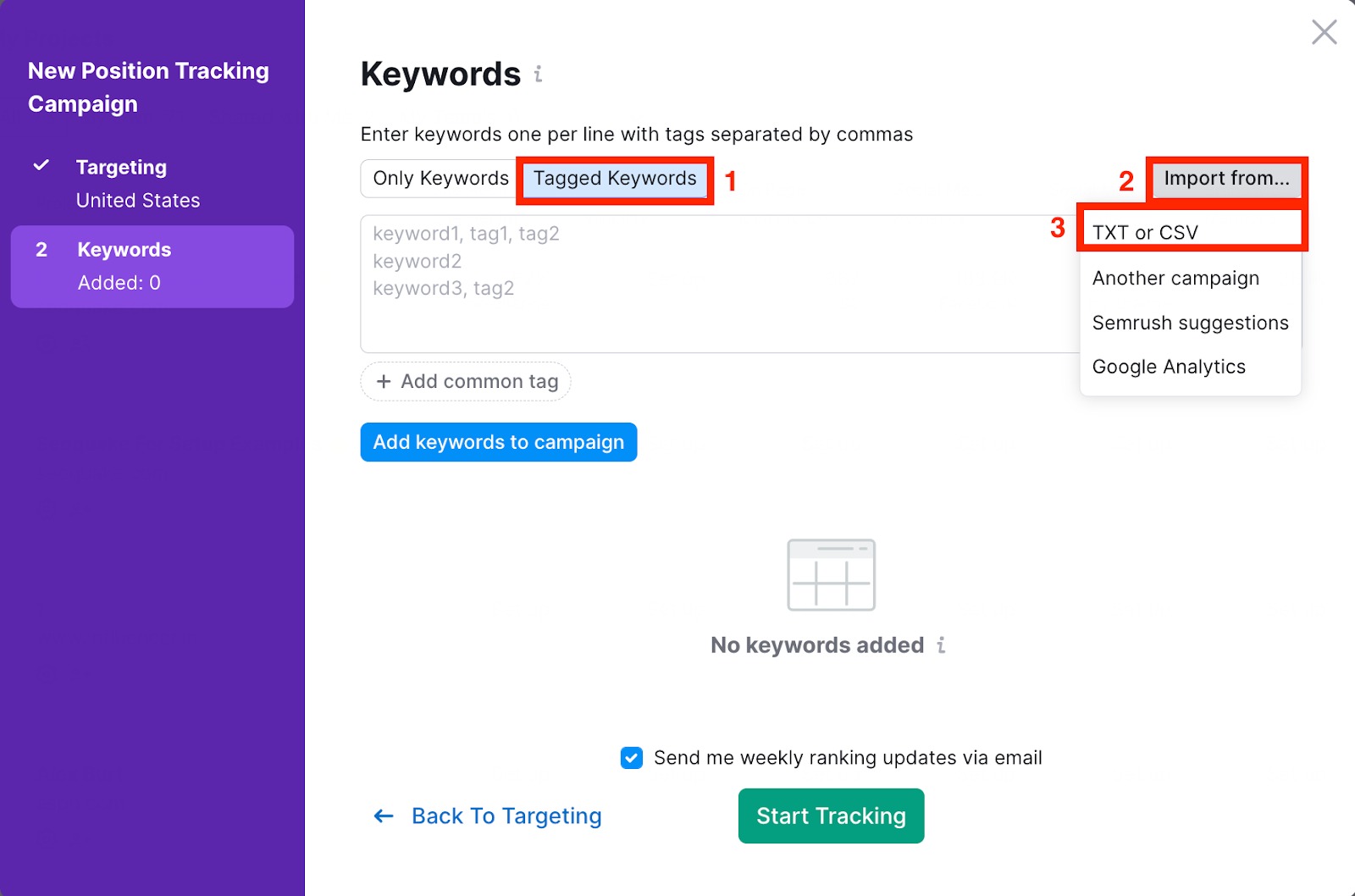
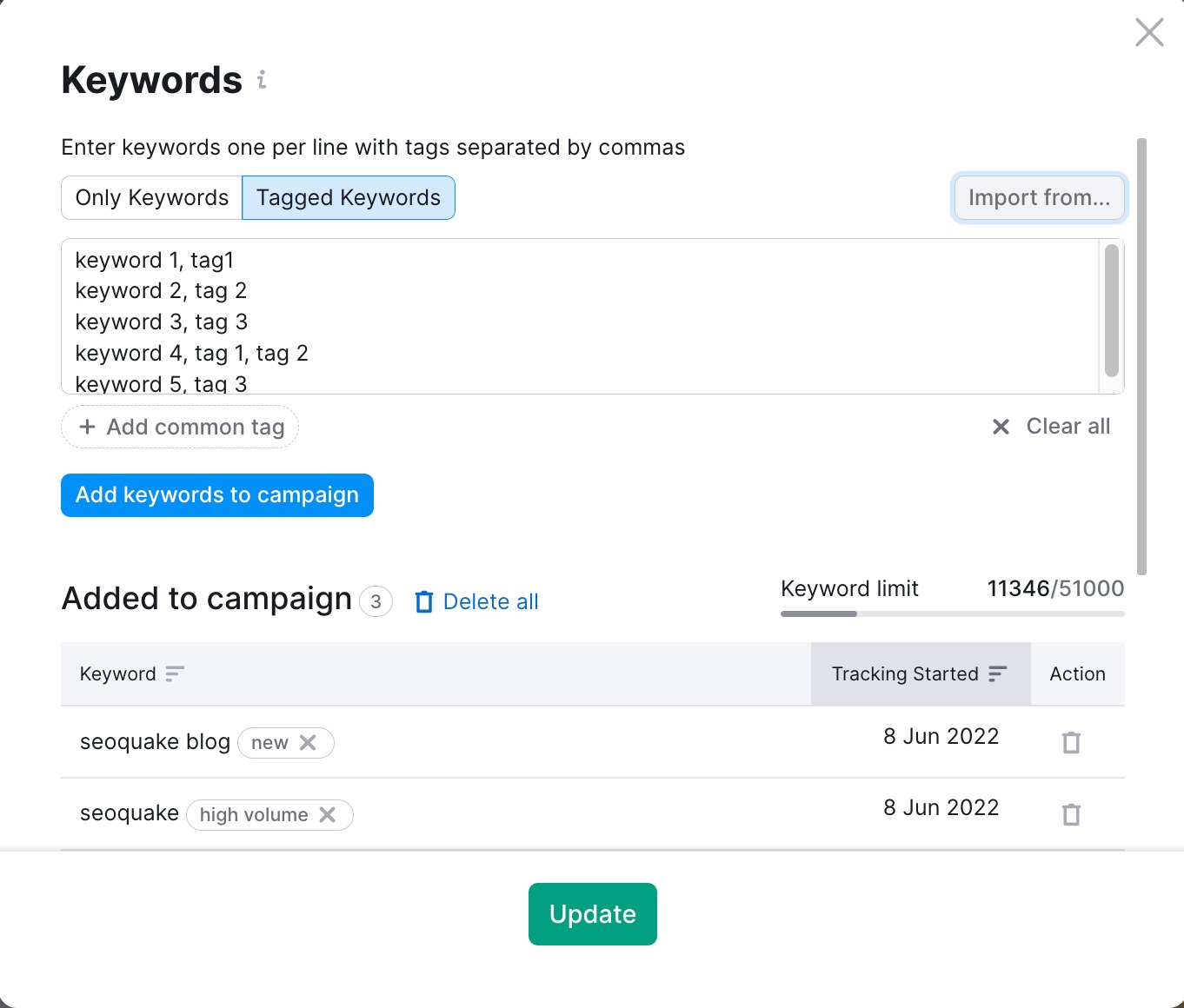
In Position Tracking, if you are setting up the campaign for the first time, click on the “Tagged Keywords” > “Import from” > “TXT or CSV”.
If you are adding keywords to an existing campaign, click on the blue number next to “Keywords”. Then click on the “Tagged Keywords” > “Import from” > “TXT or CSV”.

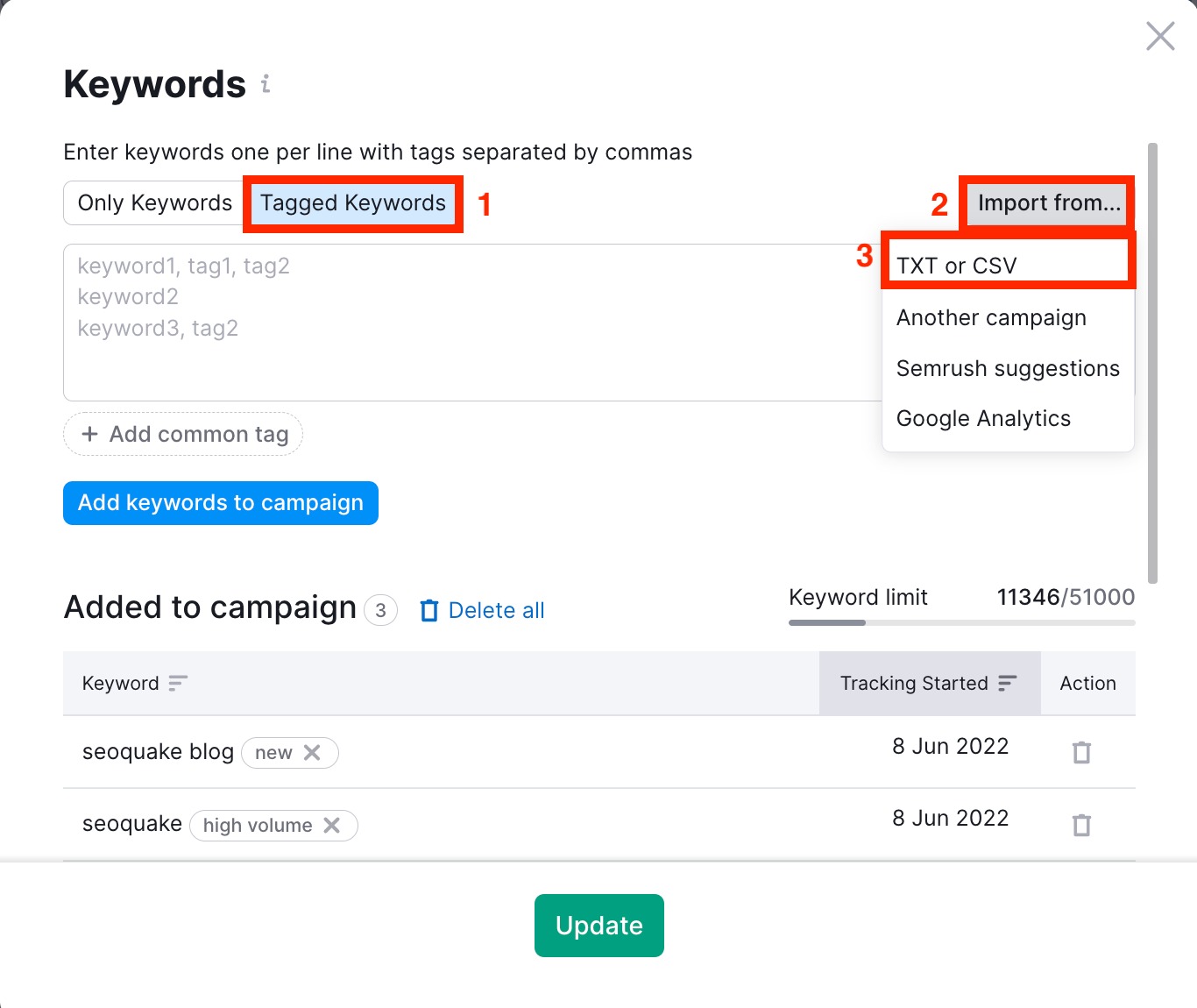
Select your file to upload. The keywords, along with their tags, will be automatically imported into the keyword box. Add them to the campaign by clicking “Add keywords to campaign,” and finally, click “Start Tracking” or “Update” to complete the process.
 돌아가기: Semrush 툴킷 카테고리